Connect Your Software to This Station
This site is also a live ASCOM Alpaca ObservingConditions device — the same seeing, sky-quality and weather numbers shown on the front page, available directly to N.I.N.A. or any other Alpaca/ASCOM client. Here's how to hook it up.
One driver, three sensors
Trevinca Skies runs a single IObservingConditionsV2 Alpaca driver that combines three of the facility's own instruments into one device: the seeing monitor (StarFWHM), a dedicated SQM-LE sky brightness meter (SkyQuality), and the AAG CloudWatcher Solo (temperature, humidity, dew point, pressure, wind, and raw cloud/rain/sky-IR/light readings).
It's separate from the per-observatory Dome and Safety Monitor Alpaca drivers covered in Trevinca's own setup document — this one is purely informational weather/seeing data, shared across the whole facility rather than tied to a single observatory, and it never gates or controls anything (roof safety is handled entirely by the Safety Monitor driver).
What you'll need
| Requirement | Notes |
|---|---|
| ASCOM Platform | 6.6 SP1 or later — same requirement as the Dome/Safety Monitor drivers. |
| Network access | Your PC needs to reach 192.168.100.0/24 (same network as the other Trevinca Alpaca drivers), directly or via VPN. |
| A client | Anything that speaks ASCOM ObservingConditions — these steps use N.I.N.A. as the example. |
Registering the driver in ASCOM
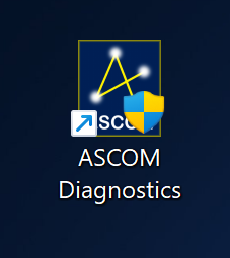
Open ASCOM Diagnostics
Installed together with the ASCOM Platform. You only need this to register the driver once — your imaging software talks to it directly afterwards.
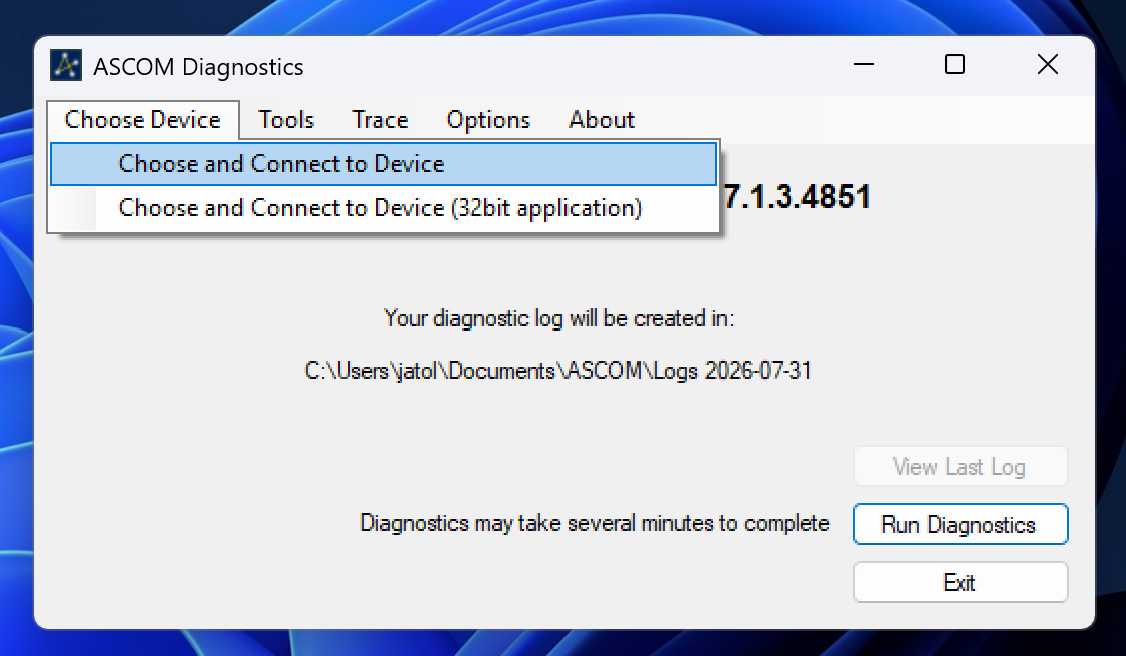
Choose Device → Choose and Connect to Device
From the Choose Device menu, click Choose and Connect to Device — this opens the Device Connection Tester used in the next step.
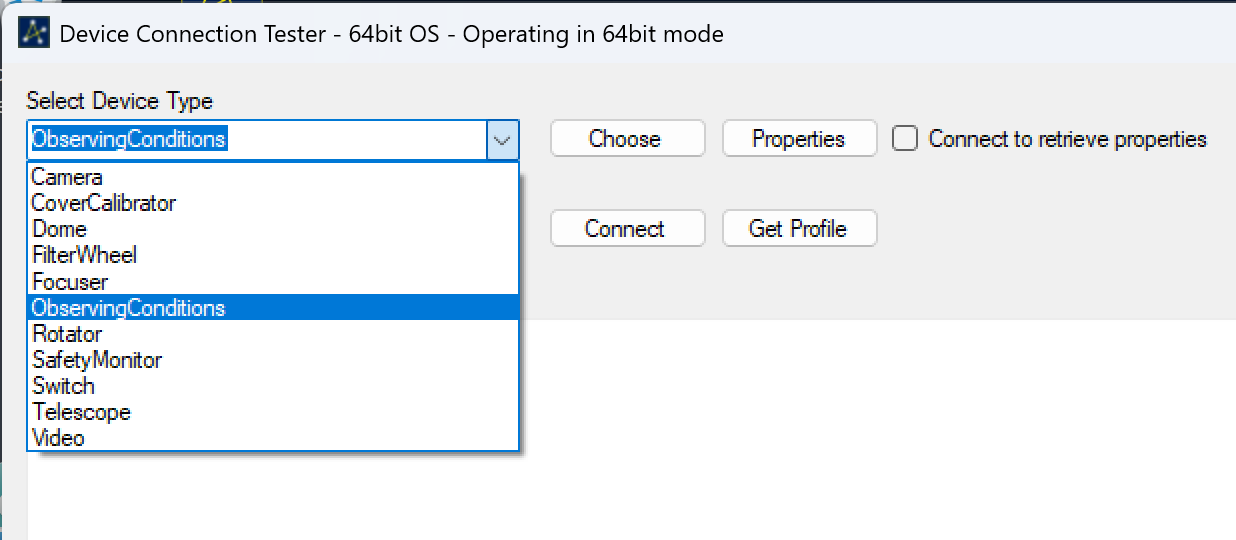
Select "ObservingConditions" as the device type
Then click Choose.
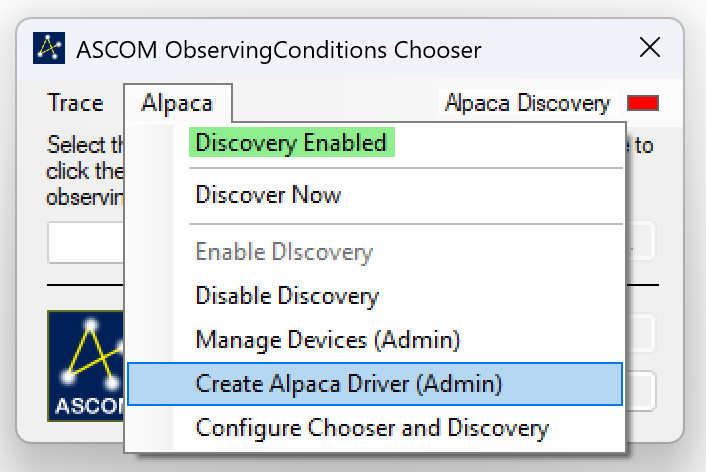
Alpaca → Create Alpaca Driver (Admin)
In the ASCOM ObservingConditions Chooser that opens, use the Alpaca menu to register this device manually — its address is fixed, so there's no need to rely on automatic discovery.
Give it a name
Anything you'll recognize later — this is just the label shown in your client's device list.
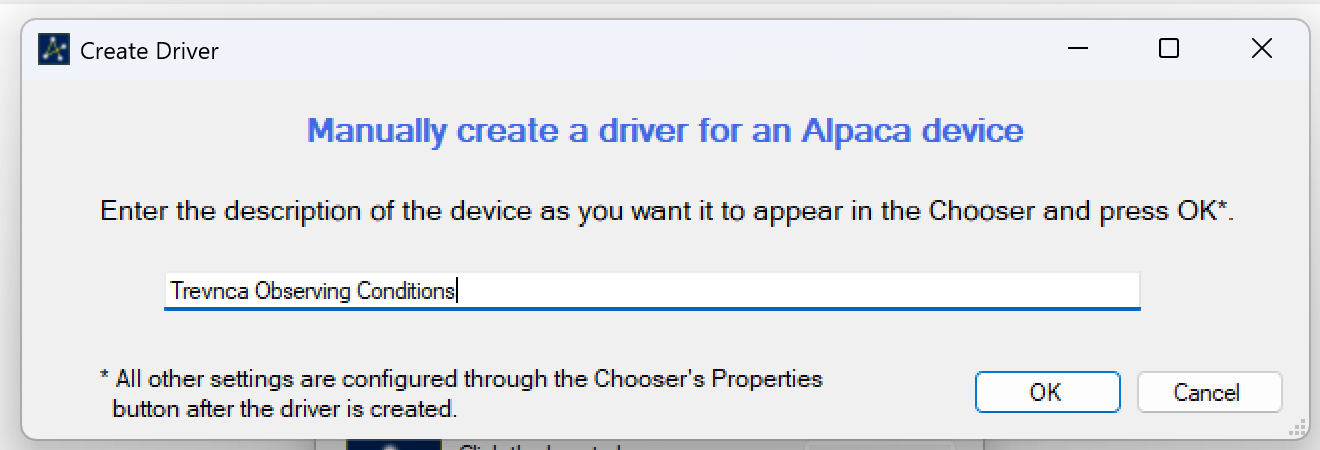
Fill in the connection details
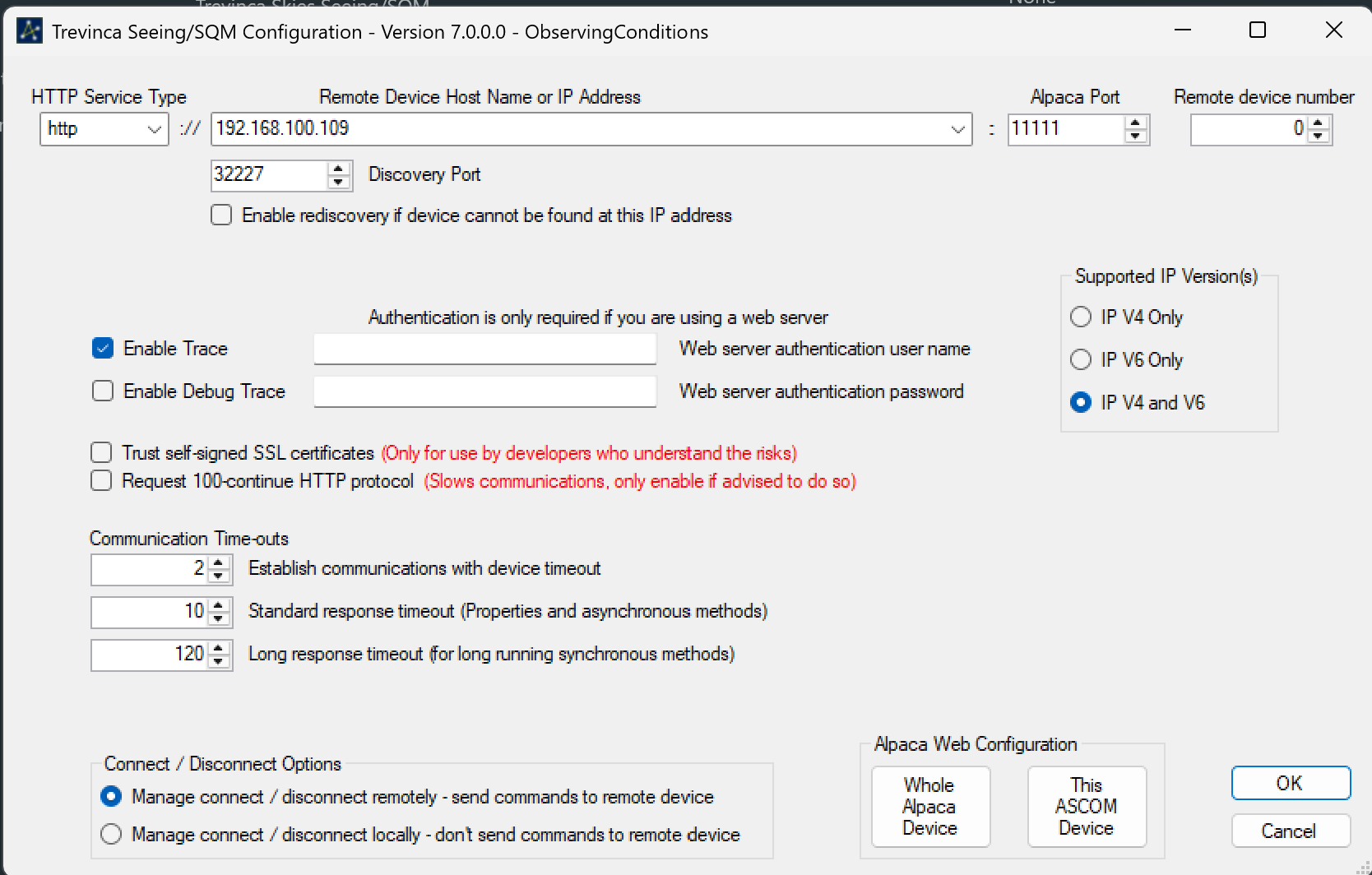
Back in the Chooser, click Properties and set:
| Field | Value |
|---|---|
| Remote Device Host Name / IP | 192.168.100.109 |
| Alpaca Port | 11111 |
| Discovery Port | 32227 |
| Remote device number | 0 |
Rediscovery matters more than it looks: with it left on, a failed connection falls back to a UDP broadcast search that doesn't cross VPN/subnet boundaries — so a remote client can discover the driver fine once, then silently fail to reconnect later. Same advice as Trevinca's own Dome/Safety Monitor setup guide, for the same reason.
The connect/disconnect option is a different matter, and this station needs the opposite of what the Dome/Safety Monitor guide says. This driver only serves readings once a client has actually connected, and reports not connected until then. If you pick "locally", the connect command never reaches it and every property comes back as an error — so "remotely" is the setting that works here.
Select it in your client
In N.I.N.A., go to Equipment → Weather and pick the driver you just created from the dropdown, then connect.

Properties this driver exposes
| Property | Source |
|---|---|
| StarFWHM | Live seeing measurement (see "How we measure seeing"). Reports no value rather than a stale number once the star has been lost for a while (clouds, daylight) — that's expected, not a fault. |
| SkyQuality | Dedicated SQM-LE meter, mag/arcsec². |
| Temperature, Humidity, DewPoint, Pressure, WindSpeed, WindGust | AAG CloudWatcher Solo, direct readings. |
| CloudCover, SkyTemperature, RainRate, SkyBrightness | Also from the AAG CloudWatcher, but raw and uncalibrated — not the 0–100% / mm/h / Lux a client typically expects, just the sensor's own numbers (SkyBrightness is the AAG's own light sensor, in mag/arcsec² like SkyQuality — not Lux). Check SensorDescription for the AAG's own current Safe/Unsafe verdict alongside each. |
| WindDirection | Not implemented — no source for this here. |
If something looks off
- Driver doesn't appear during discovery. Confirm you're on the 192.168.100.0/24 network. If you're on a separate VLAN, a fixed-IP connection (steps above) works regardless — automatic discovery just doesn't cross subnet boundaries.
- "Value not set" on StarFWHM. Either the seeing monitor hasn't completed its first measurement yet, or it's currently lost the star (clouds, daylight) — not a driver fault. A value is only served while its underlying reading is recent; a stale one is reported as unavailable rather than repeated as if it were current.
- "Value not set" on SkyQuality, Temperature, etc. The driver couldn't reach the SQM-LE or AAG CloudWatcher on its last poll (every 30s), or that reading has also gone stale. If it persists, contact the facility operator.